
Sometime we need to copy some files on a daily basis from one folder to another. So it will be good to be able to automate this process. Here we wrote a simple VBScript (.vbs) and batch file (.bat) using note pad and use Windows task scheduler to run the batch file which will run the VBScript.
1st step: Write the VBScript to copy the files.
Dim FSO
Dim CopyFrom
Dim CopyTo

CopyFrom = "C:\Users\deadw\Documents\Algo\for_blog\CopyFrom"
CopyTo = "C:\Users\deadw\Documents\Algo\for_blog\CopyTo"

Set FSO = CreateObject("Scripting.FileSystemObject")
FSO.CopyFolder CopyFrom, CopyTo
2nd step: Write the batch file.
THe VBScript file location is in “”. The cscript after the start keyword is neccessary, it is use to run the vbs file.
start cscript "C:\Users\deadw\Documents\Algo\for_blog\Copy_Folder_Files_Using_Vbs.vbs"
3rd step: Set up Task Scheduler.
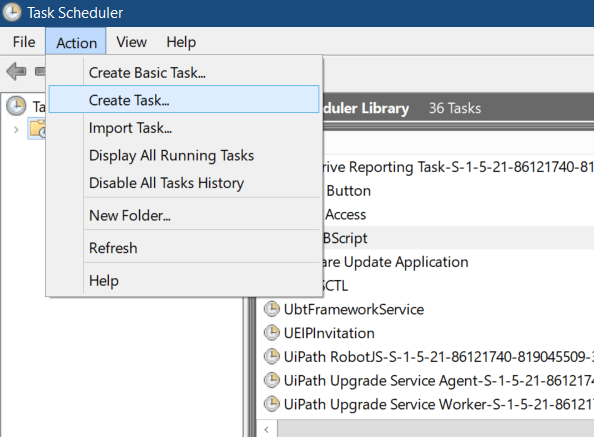
Open Task Scheduler, click Create Task and fill up the 5 tabs (General, Triggers, Actions, Conditions and Settings). the screen shots below show my input for the 5 tabs. You can play around with the different selections.
Just a note here: Task Scheduler cannot run if your PC is not power on (ie shut down). But able to run when the user is not logged in and the PC is in sleep or hibernate mode. Under General and Conditions tab you can choose ‘Run whether user in logged in or not’ and ‘wake the computer to run this task’.
Under the ‘Actions’ tab is the location of the batch file which will run base on the ‘Triggers’ input.
You can refer to the pics below. Cheers, keep automating. 🙂


 Welcome...enjoy coding, Electronics, IOT or data mining? Thank you for visiting my blog.